AI TOOL / #01425
Browse AI: Fast Web Scraping & Monitoring
A no-code web scraping tool for automating data extraction and turning websites into APIs.
Introduction
No-code web scraping tool to automate data extraction and turn websites into APIs.
What is the Browse AI AI Chrome extension/plugin?
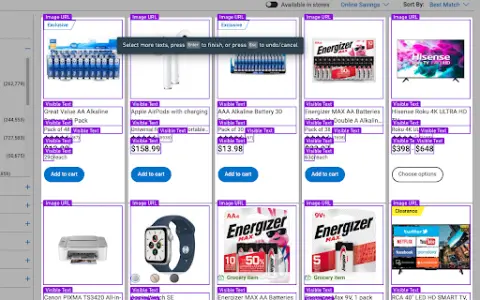
Browse AI is a no-code web scraping tool that lets users automate web data extraction tasks in minutes. It offers a simple, easy-to-use point-and-click interface for setting up web scraping automations; users can download data as spreadsheets or sync it with Google Sheets, run tasks on a schedule, monitor data changes, and flow data into other software via Zapier integrations or a REST API and webhooks. It can turn any website into an API and provides code examples in popular programming languages.
How do I use the Browse AI AI Chrome extension/plugin?
Use the point-and-click interface to select the data you want to extract from the website. Set an automated schedule for the bot to run. Download the data or integrate it with other tools.
Core features of the Browse AI Chrome extension/plugin
Click Web Scraping Settings
Download data as a spreadsheet or sync with Google Sheets.
Scheduled task execution and data monitoring
Zapier integration and REST API/Webhook
Convert websites into APIs
Related
AlgoDocs
An artificial intelligence-driven automated platform for extracting data from documents.
Expenses Day
The digitization of expenses, based on artificial intelligence, includes receipts, bank statements, handwritten lists, and more.
Table OCR – Extract tabular data from Pdf/Img
Table OCR extracts data from tables within images or PDF files and converts it into a structured format.
Copywrite+
An AI-based tool that converts handwritten content into formatted digital text and documents.
OLOCR
Free online OCR service for images and PDF files, supporting batch processing and multiple languages.
Chrome Virtual Camera
Use the clock, video file, and background masking options in place of getUserMedia().