AI TOOL / #03976
PowerPost
PowerPost summarizes, translates and allows interaction with articles for quick insights.
Introduction
PowerPost summarizes, translates, and allows chatting with articles for quick insights.
What is PowerPost?
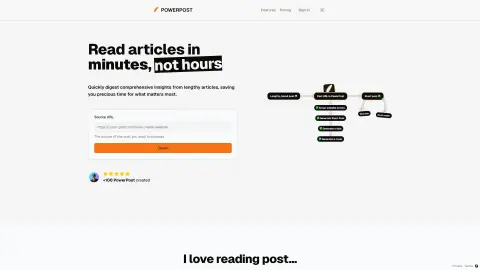
PowerPost helps you turn lengthy articles into quick insights. It allows you to bookmark, summarize, translate and interact with posts in your preferred language and style. Designed to help you create content and learn faster by extracting the most important information from articles.
How to use PowerPost?
To use PowerPost, you simply provide the source URL of the article you want to process. PowerPost will allow you to bookmark, summarize, translate and interact with articles. You can also choose different article styles and reading preferences.
PowerPost Core Features
Summary of a lengthy article
Translate posts into different languages
Chat feature to interact with posts
Customizable reading style (color, font, size)
Save post to read later
Content creation assistance
Translate posts into different languages
Chat feature to interact with posts
Customizable reading style (color, font, size)
Save post to read later
Content creation assistance
Related
Furniture & Household Item Recognition
An AI-based API designed for identifying, classifying, and counting furniture items and household objects within images.
Pluck
A Chrome extension designed for people with trichotillomania, aimed at raising awareness and providing support.
Allerwell
Allerwell is a mobile app that makes allergy-free eating possible through scanning and personalized insights.
Picterra
A geospatial image analysis platform used for training and deploying machine learning models.
Walter AI
AI humanization and detection tools to bypass AI detection and ensure original content.
Proof&Trust
Automate supplier risk assessment tools to save time and money.