AI TOOL / #04004
Summarize *this* Article
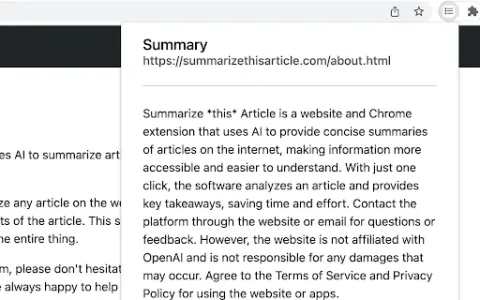
The Chrome extension that uses OpenAI to generate article summaries allows users to customize the length of both the prompts and the generated summaries.
Introduction
Chrome extension using OpenAI to summarize articles with customizable prompts and length.
What is the “Summarize This Article” AI Chrome extension?
In summary, this article describes a Chrome extension that utilizes OpenAI to generate summaries of articles found on the Internet. It allows users to customize the length of the prompts and summaries generated. The user’s API key is securely stored within the Chrome environment.
How to use the Summarize This Article AI Chrome extension?
Install the extension from the Chrome Web Store. After installation, navigate to any article on the Internet and activate the extension. You can customize the prompts and settings as needed; the extension will then use OpenAI to generate summaries for those articles.
Summarize the core functions of this AI Chrome extension/plugin.
Using OpenAI to generate article summaries
Customizable prompts
The length of the summary can be customized.
Storing API keys securely in Chrome
Related
Spillmate
An AI-based mental health assistant that provides therapeutic support and emotional assistance through conversations.
TRIPP
An artificial intelligence-powered mental health platform that focuses on mindfulness and perspective transformation.
Value on Board
Valueonboard provides no-coding enterprise solutions and AI-powered industry applications.
LangTest
An artificial intelligence platform used for creating and managing AI robots and digital twins.
Food Check
AI-powered food scanner for nutritional, allergen and dietary information.
SOMA
An AI-based research platform for uncovering connections between factors and medical conditions.