AI TOOL / #04118
CEBot
Qualcomm CE's question-answering system based on large language models.
Introduction
LLM based Q&A system for Qualcomm CE.
What is the Qualcomm CEBot AI Chrome extension/plug-in?
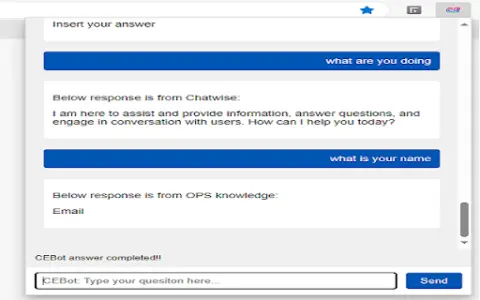
QCOM CEBot is a question-and-answer system based on large language models, specifically designed for Qualcomm CE devices. It can be used by clicking with the left mouse button or by pressing Ctrl+Shift+Z.
How to use the Qualcomm CEBot AI Chrome extension/plug-in?
Use CEBot by clicking with the left mouse button or pressing Ctrl+Shift+Z.
The core functions of the Qualcomm CEBot AI Chrome extension/plug-in
Question-answering system based on large language models
Related
DevAlly
Accessibility Compliance Testing for Product Teams
ImageTo3D
Generate a textured 3D model from a single image and export it
ChickyTutor
An AI speech tutor that supports over 70 different languages
Aura by Neural
A desktop AI workspace that generates interactive interfaces on demand.
MindPlot
An AI-assisted research assistant that ranges from data analysis to the selection of images for papers
Superhuman Go
AI assistants integrated into Gmail and Slack