AI TOOL / #07221
GPT-4 Vision Screenshot
A tool that uses GPT-4 visual AI to extract answers from screenshots.
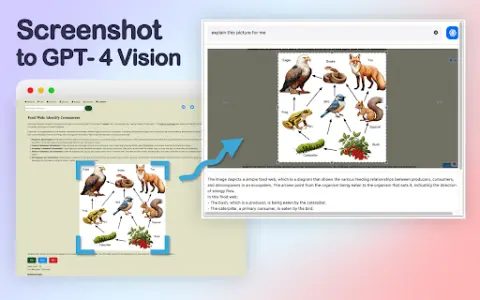
Introduction
A tool that extracts answers from screenshots using GPT-4 Vision AI.
What is the GPT-4 Vision Screenshot AI Chrome extension/plug-in?
GPT-4 Visual Screenshot is an innovative tool that allows users to select any area of the screen and pose relevant questions. GPT-4 Visual then directly extracts answers from the screenshot, intelligently interpreting the visual content with remarkable accuracy. By providing a fast, in-depth, and interactive search experience, it has completely transformed the way people obtain information.
How to use the GPT-4 Vision Screenshot AI Chrome extension/plug-in?
With just a simple shortcut key, you can select any area on the screen. Once you pose a question related to the selected area, GPT-4 Vision will directly extract the answer from the screenshot.
The core functions of the GPT-4 Vision screenshot AI Chrome extension/plugin
Use GPT-4 visual AI to extract answers from screenshots.
Related
Condensify
Condensify provides article summaries and audio readings for easy browsing.
Speechson
Speechson is an online AI speech generator that can produce natural sounds in 144 different languages.
text to speech ai
Best text-to-speech AI tool for reading online content and converting text to MP3.
Whisper Text Reader
Browser plug-in that reads selected text aloud using text-to-speech technology.
FileSpeech
FileSpeech converts files into natural speech and supports multiple languages as well as offline access.
PDF to MP3
Converting PDF files to MP3 format makes them easier to listen to and study.